Pipeline Health, a grade for the sales pipeline that matches how it feels
A bar in our CRM that forecasts what the pipeline you're looking at will deliver against budget, and names the deals to work on.
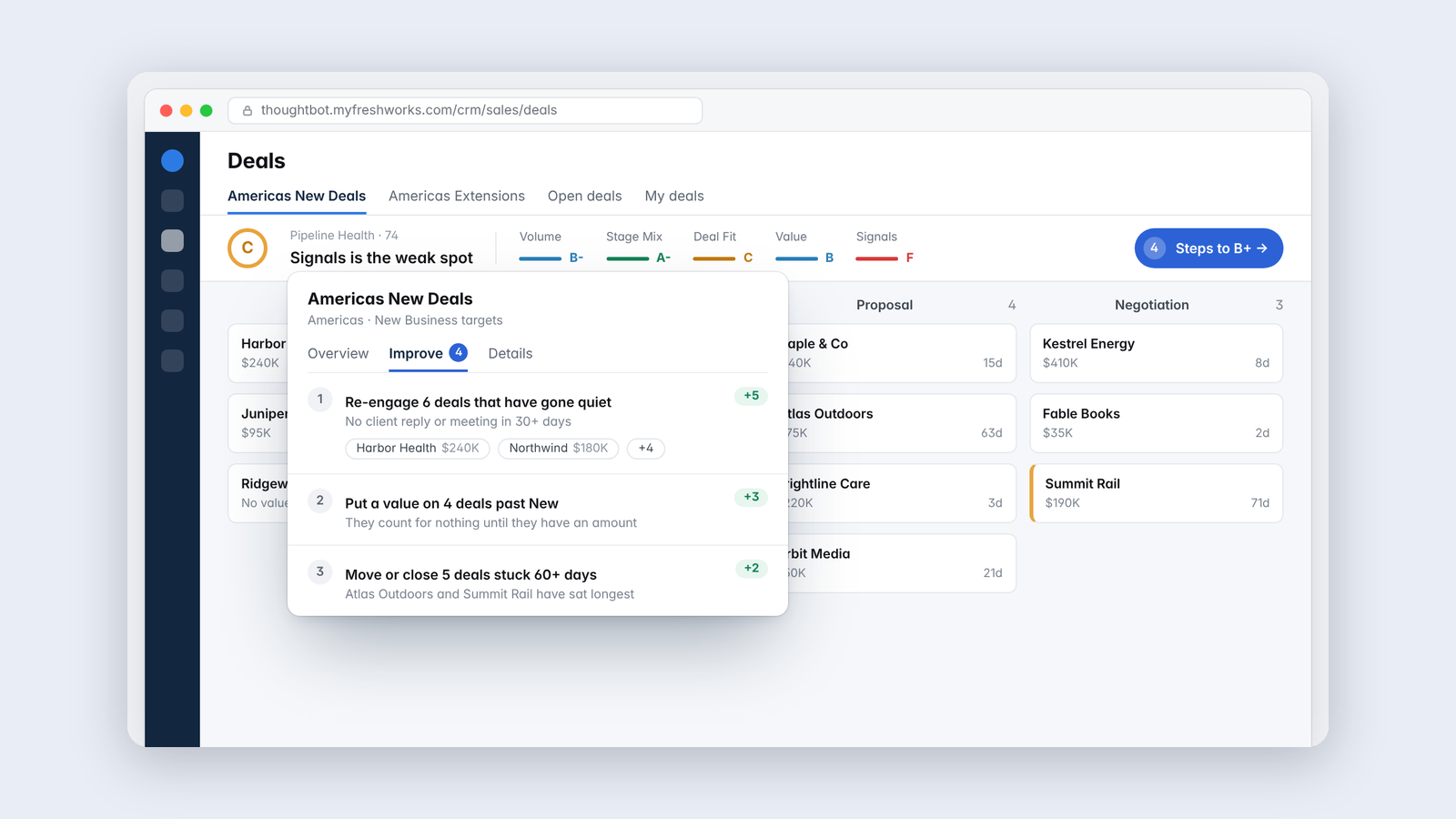
Every sales leader has looked at a pipeline and had a feeling about it. I wanted a number that agreed with the feeling when the feeling was right, and argued with it when it wasn't.
Pipeline Health puts a bar under the toolbar on any deals view in our CRM. It gives a letter grade, then shows how deal count, fit, value, stage spread, freshness and client signals compare with the team's own history. Click it and you get the reasons, the odds of reaching budget, and an Improve tab that lists specific deals to work on and how much each step would help.
Critical but helpful
I wanted it to be honest about what it takes to at least hit budget, based on how we've actually performed, without scaring anyone. The point is to show where to focus, so every grade comes with the specific deals that would move it.
It isn't generous about everything, though. A pipeline full of stale deals is never healthy, however big it looks.
The first grade was wrong
The first version averaged five separate grades, and it graded my own team's pipeline far lower than it felt. So I checked it against what had actually happened. The pipeline was on track for a fairly typical month. The grade was counting the same shortfall twice and leaning on measures that had never been validated.
I rebuilt it around a forecast. The grade now asks how much revenue this pipeline has historically turned into, compared with the budget for the month it lands in. On budget is an A. An A also needs a healthy pipeline underneath, so weak areas and stale deals pull the grade down even when the forecast looks fine. Today our teams sit at an A- and an A, which matches how the pipeline feels.
Honest about its limits
The forecast is fitted on a short history, and for one team the fit is weak. The panel says so instead of hiding it. The real test is simple. Check the forecast against the month when it arrives, and tell me how far off it was.
It uses no AI and sends nothing anywhere. Everything is scored in the browser, and the tone of client emails comes from plain lists of phrases anyone can read.
Keep reading

More from Tools for my team
-
 Making·
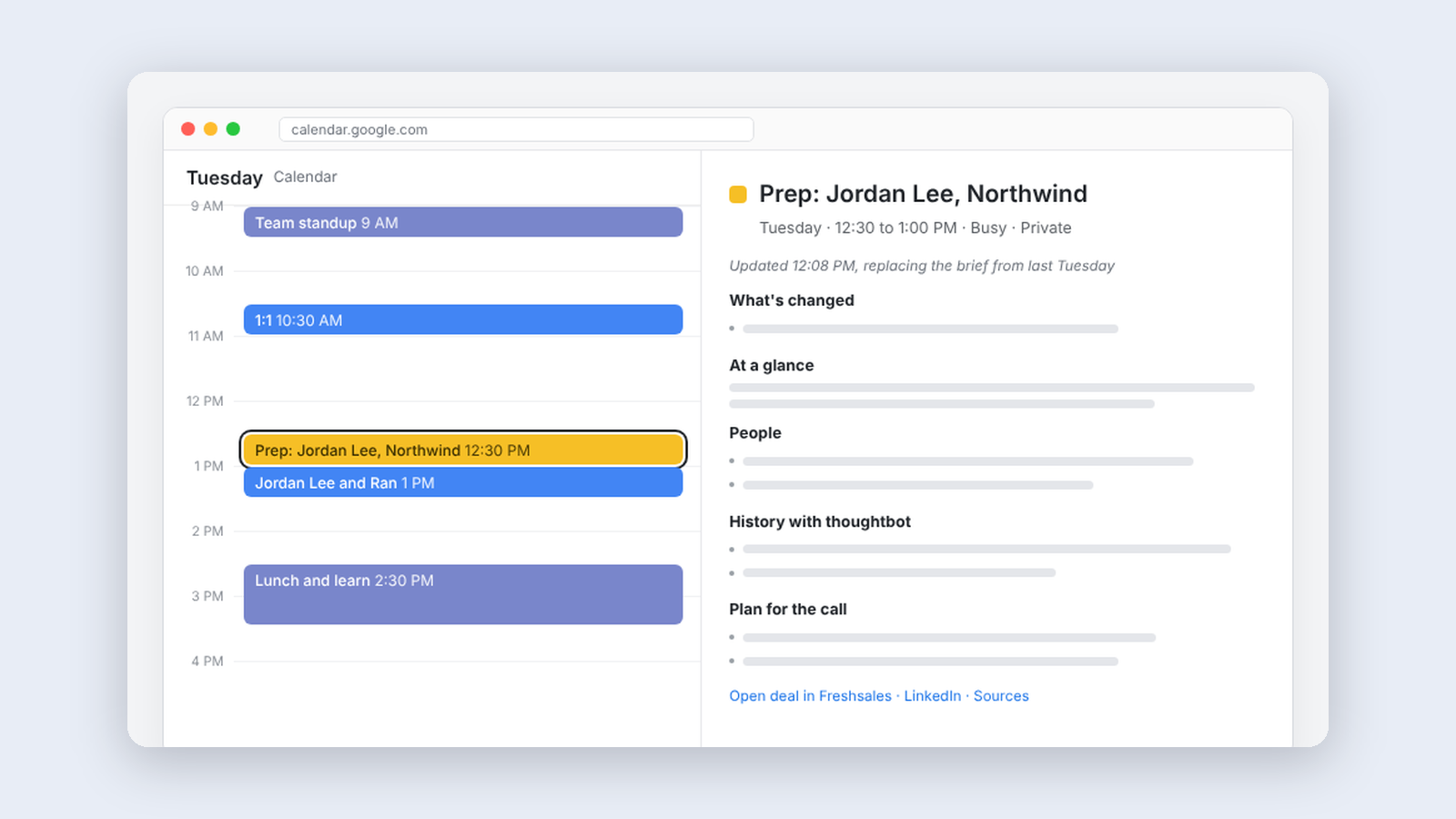
Meeting Prep, a brief waiting before every sales call
A calendar service that books a prep block before each outside meeting and fills it with a brief on who you're about to meet.
Making·
Meeting Prep, a brief waiting before every sales call
A calendar service that books a prep block before each outside meeting and fills it with a brief on who you're about to meet.
-
 Making·
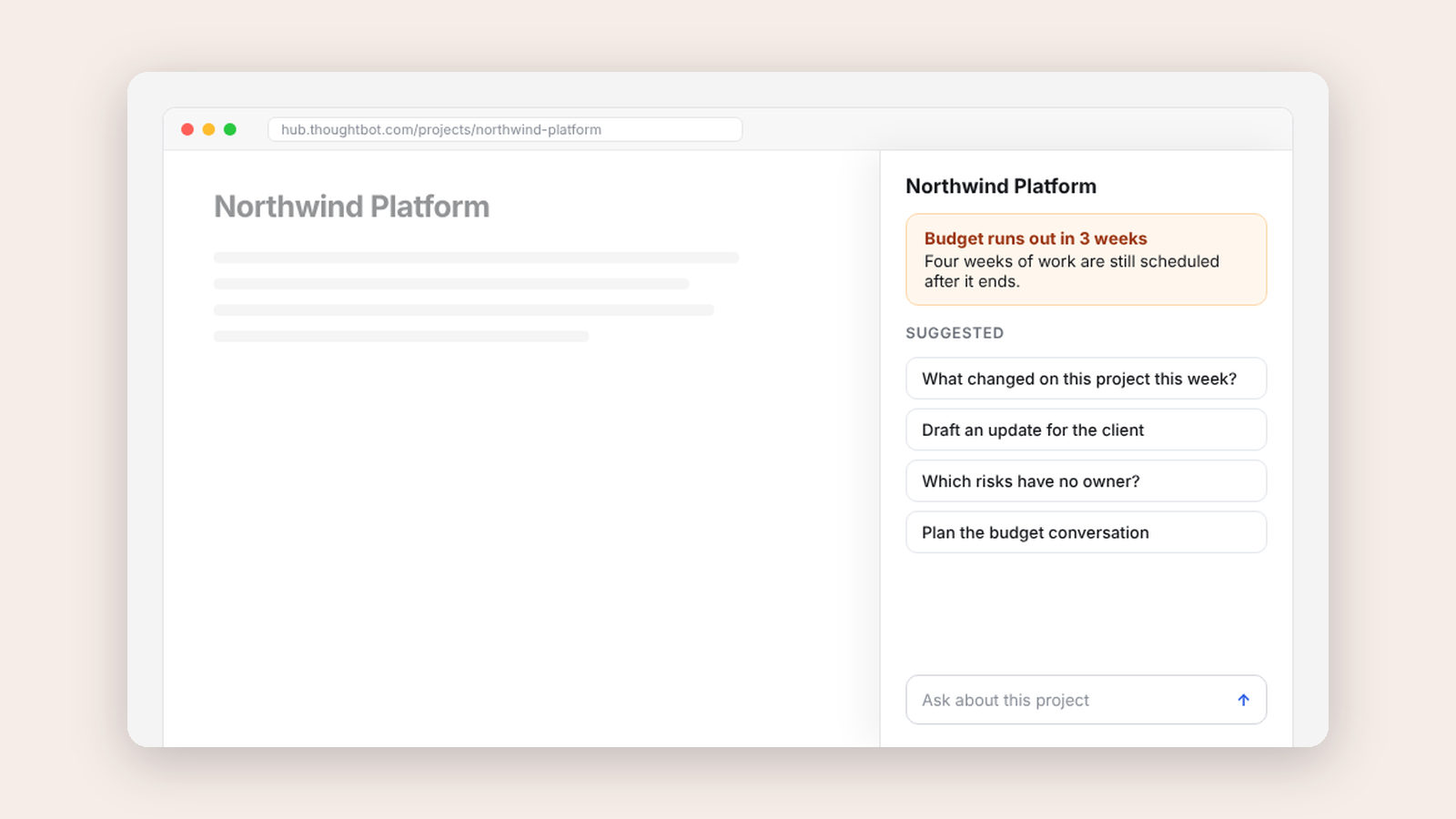
Delivery Copilot, an AI assistant that stays beside the work
A side panel that brings our internal delivery copilot next to the project you're looking at, with suggestions drawn from the record in front of you.
Making·
Delivery Copilot, an AI assistant that stays beside the work
A side panel that brings our internal delivery copilot next to the project you're looking at, with suggestions drawn from the record in front of you.
-
 Making·
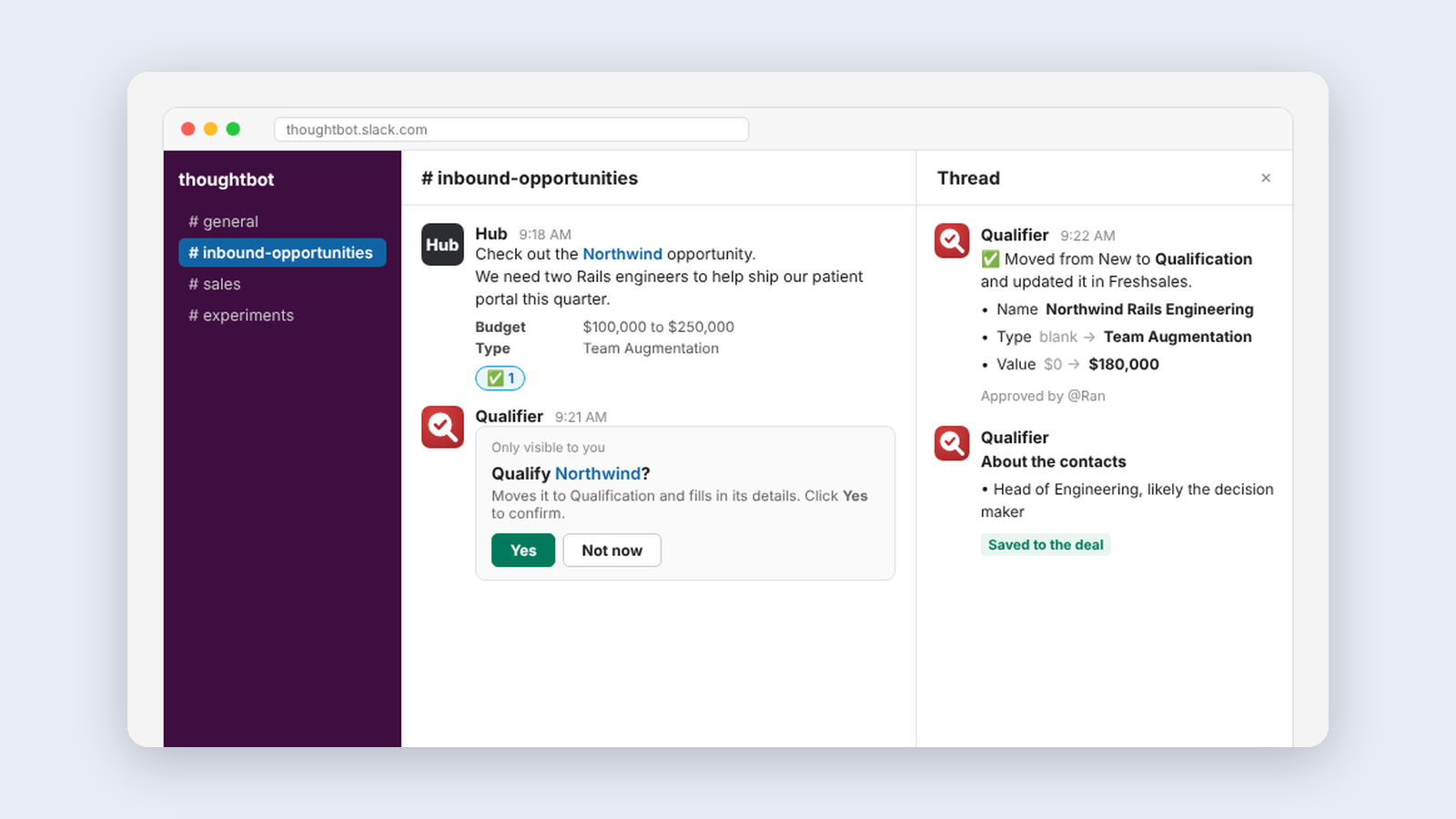
Qualifier, moving a sales lead forward with one emoji
A Slack app that turns a checkmark on an inbound opportunity into an enriched, qualified deal in our CRM, with a brief on the people involved.
Making·
Qualifier, moving a sales lead forward with one emoji
A Slack app that turns a checkmark on an inbound opportunity into an enriched, qualified deal in our CRM, with a brief on the people involved.