Hub Search, Cmd+K for our internal app
A fast search palette for thoughtbot's internal app that re-ranks results locally and never sends what you type anywhere new.
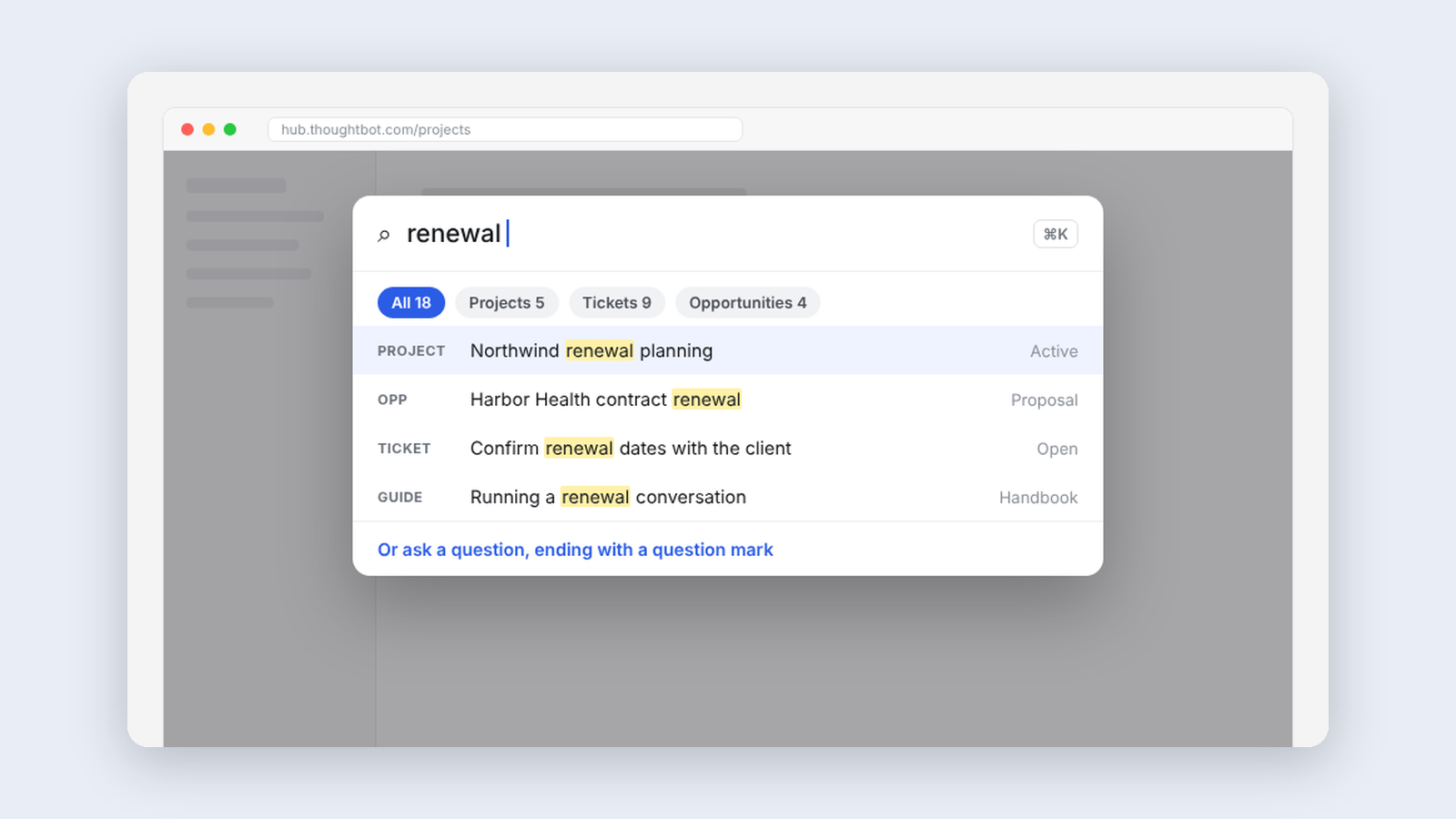
Search is the front door to any internal tool. Ours, inside our operations app Hub, was hard to use. The interface made filters awkward, and the AI search was buried where most people never found it.
I didn't want to rebuild search. I wanted to know whether a better front end alone could fix it, without touching anything underneath.
Hub Search adds a Cmd+K palette anywhere in Hub. Results appear as you type across pages, projects, opportunities, teammates, clients, the handbook and the blog, re-ranked in the browser rather than shown in the order the server returns them.
Ranking with context
Where you are counts. If you're on a project, other projects rank a little higher, since that's usually what you're after. The boost is small enough that it only breaks ties and never lifts a weaker match over a better one. The page you're already on drops out of its own results.
An Explain ranking setting shows the score behind each result. It's the fastest way for someone to tell me the ranking is wrong.
Nothing new to trust
There's no backend and no new database. It uses the session you're already signed into, and nothing you search leaves your browser. Hub holds client and people data, so I think that's the right default for anything built on top of it.
What I learned
- Show something before you finish thinking. The palette felt slow because it waited for saved settings to load. Drawing first and reading settings second made it feel instant.
- Read the source before guessing. Three rounds of guessing at the question-answering endpoint failed. Reading the app's own code settled it in one.
The open question is whether a better front end is enough, or whether the search underneath needs to change too. Usage will tell.
Keep reading
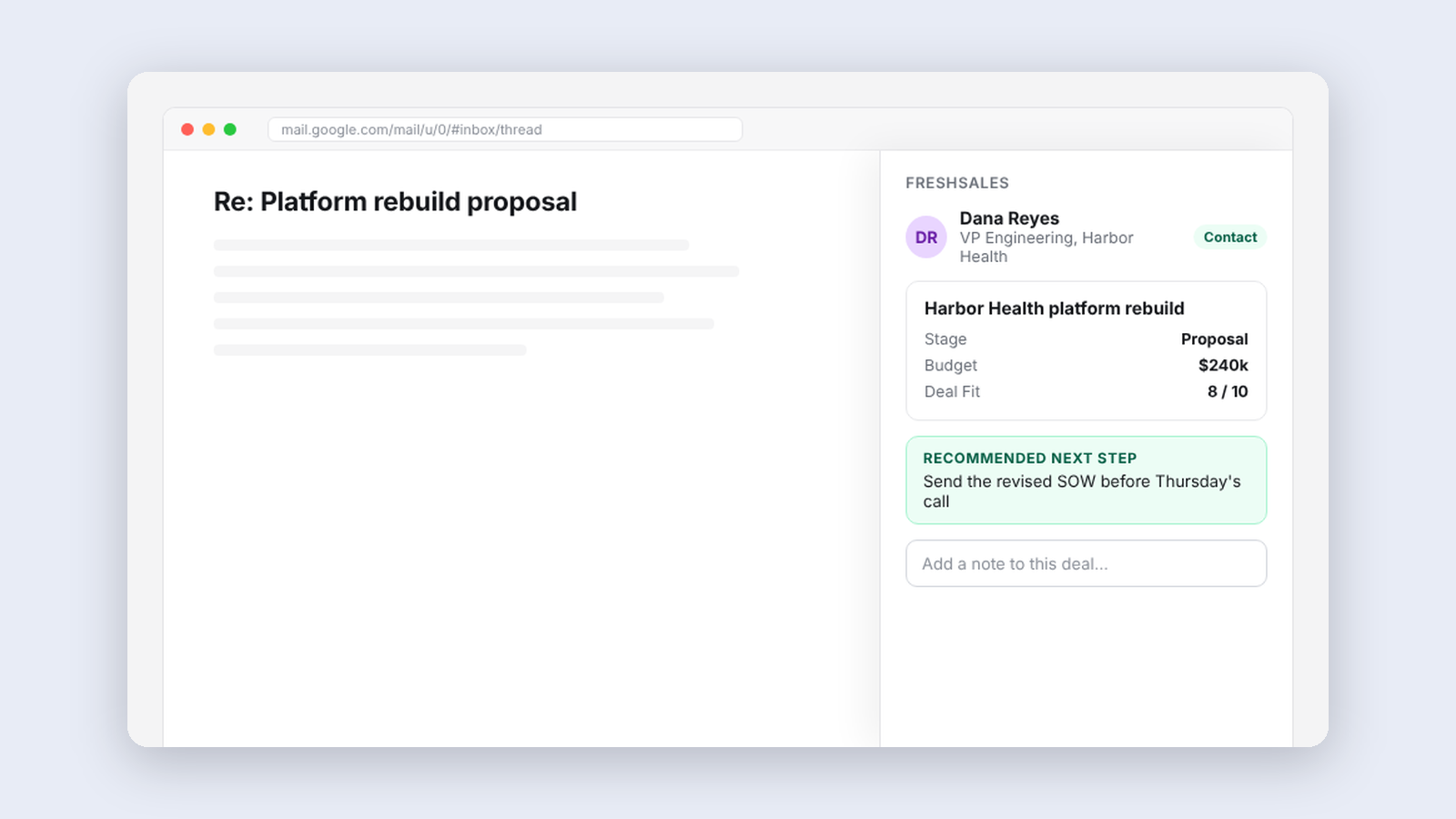
More from Tools for my team
-
 Making·
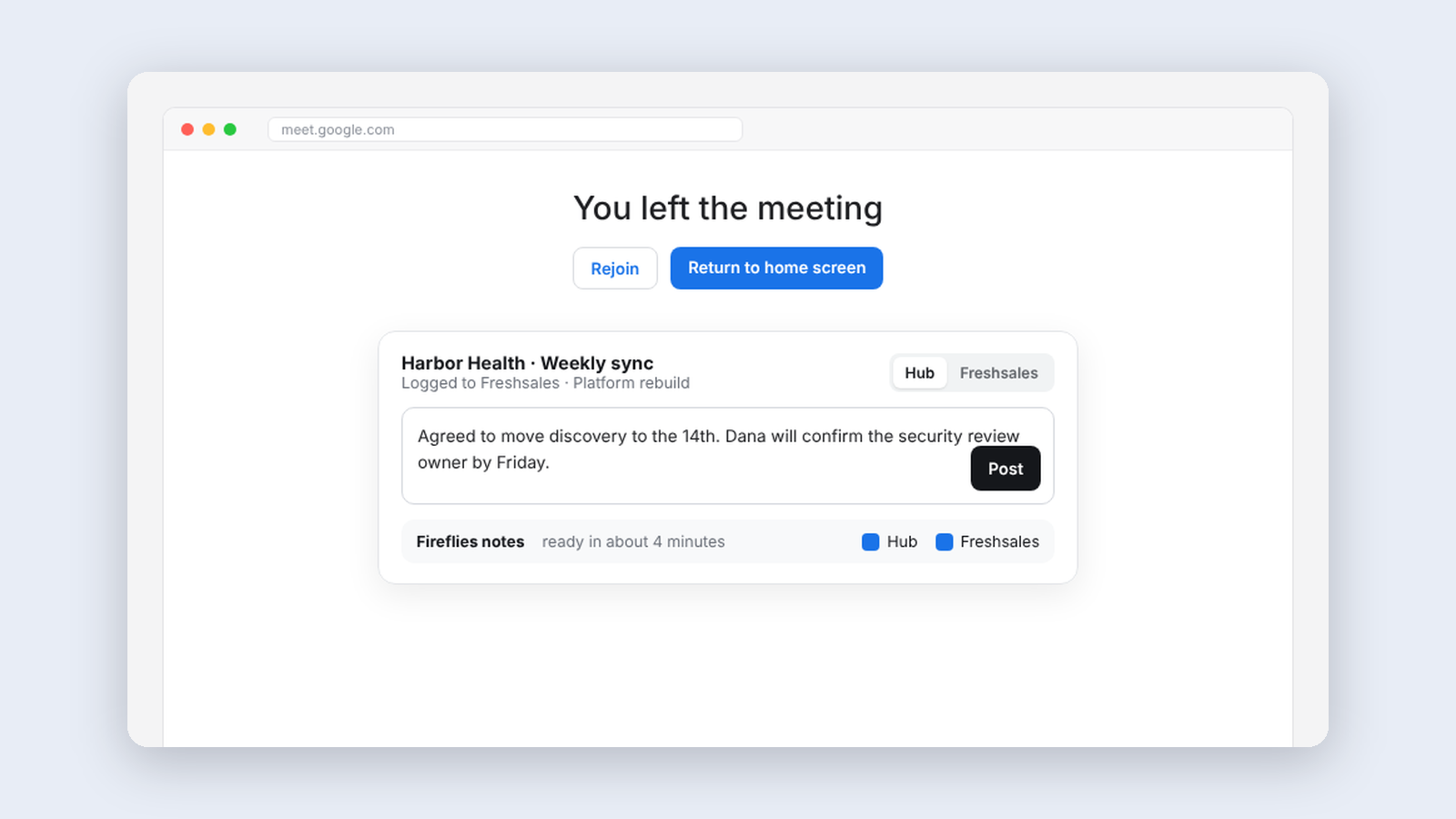
Meeting Helper, logging client meetings without thinking about it
An extension that logs finished meetings to our CRM automatically and handles notes and follow-up right on Google Meet's goodbye screen.
Making·
Meeting Helper, logging client meetings without thinking about it
An extension that logs finished meetings to our CRM automatically and handles notes and follow-up right on Google Meet's goodbye screen.
-
 Making·
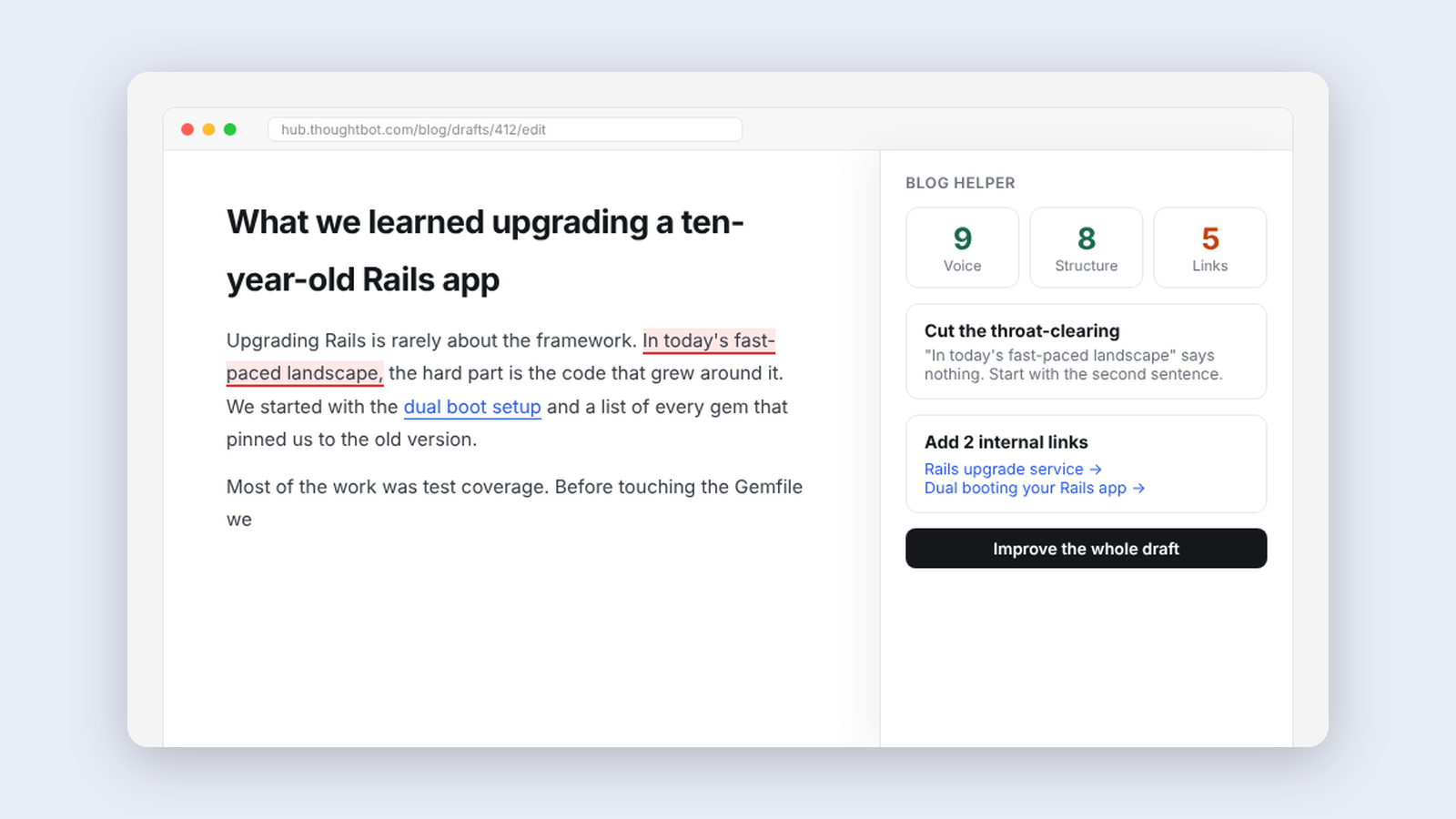
Blog Helper, an editor that knows our style guide
A panel beside our blog editor that reviews drafts against thoughtbot's editorial guidelines, suggests internal links and writes first drafts from notes.
Making·
Blog Helper, an editor that knows our style guide
A panel beside our blog editor that reviews drafts against thoughtbot's editorial guidelines, suggests internal links and writes first drafts from notes.
-
 Making·
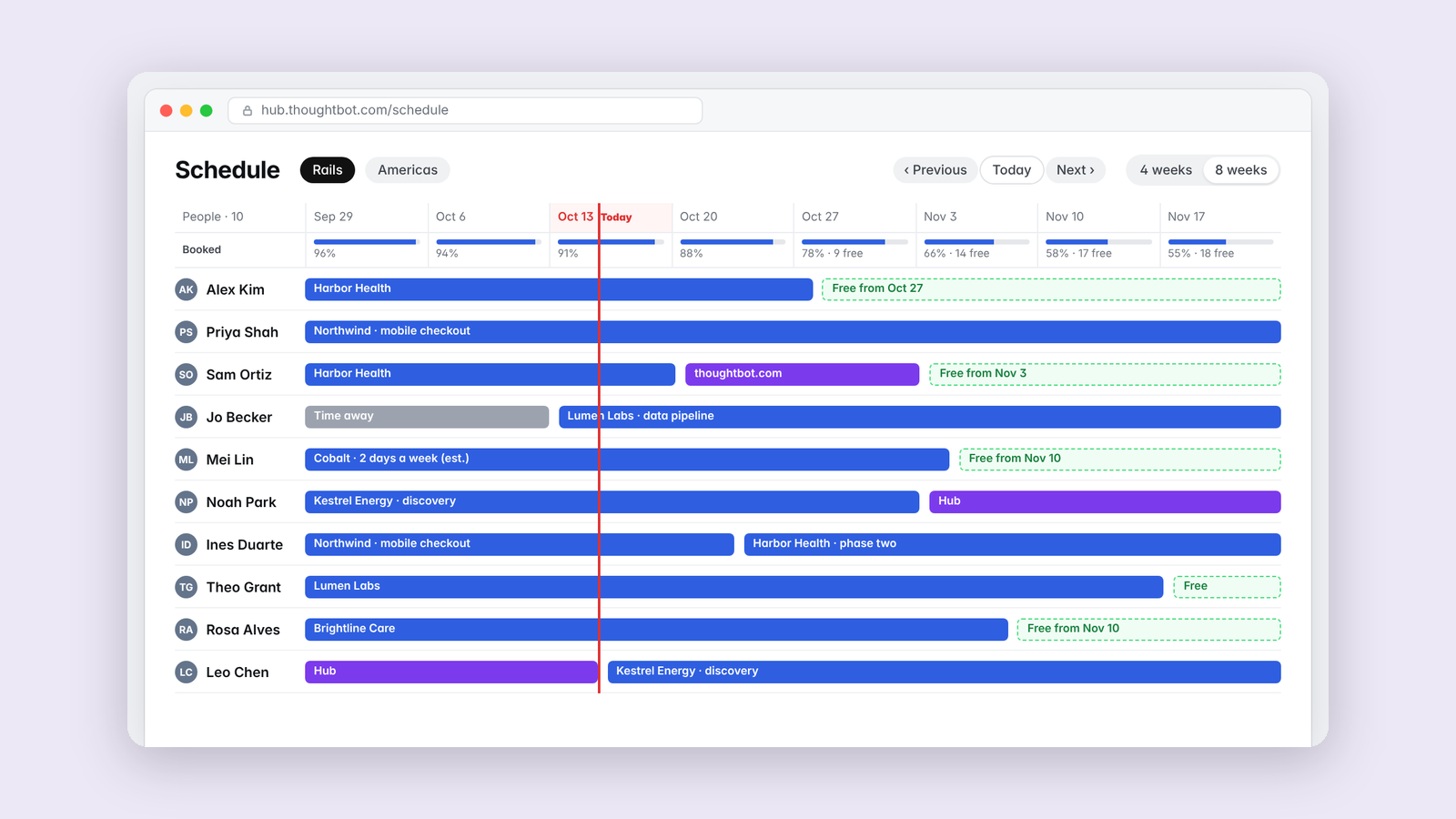
Schedule Helper, seeing who's free at a glance
A resource-planning timeline for thoughtbot's team schedule, with one row per person and the filters we actually use.
Making·
Schedule Helper, seeing who's free at a glance
A resource-planning timeline for thoughtbot's team schedule, with one row per person and the filters we actually use.