Email Zenmaster, AI help in Gmail that still sounds like me
Subject lines, one-click rewrites, a pre-send review and drafted replies inside Gmail, tuned so the result reads like a person wrote it.
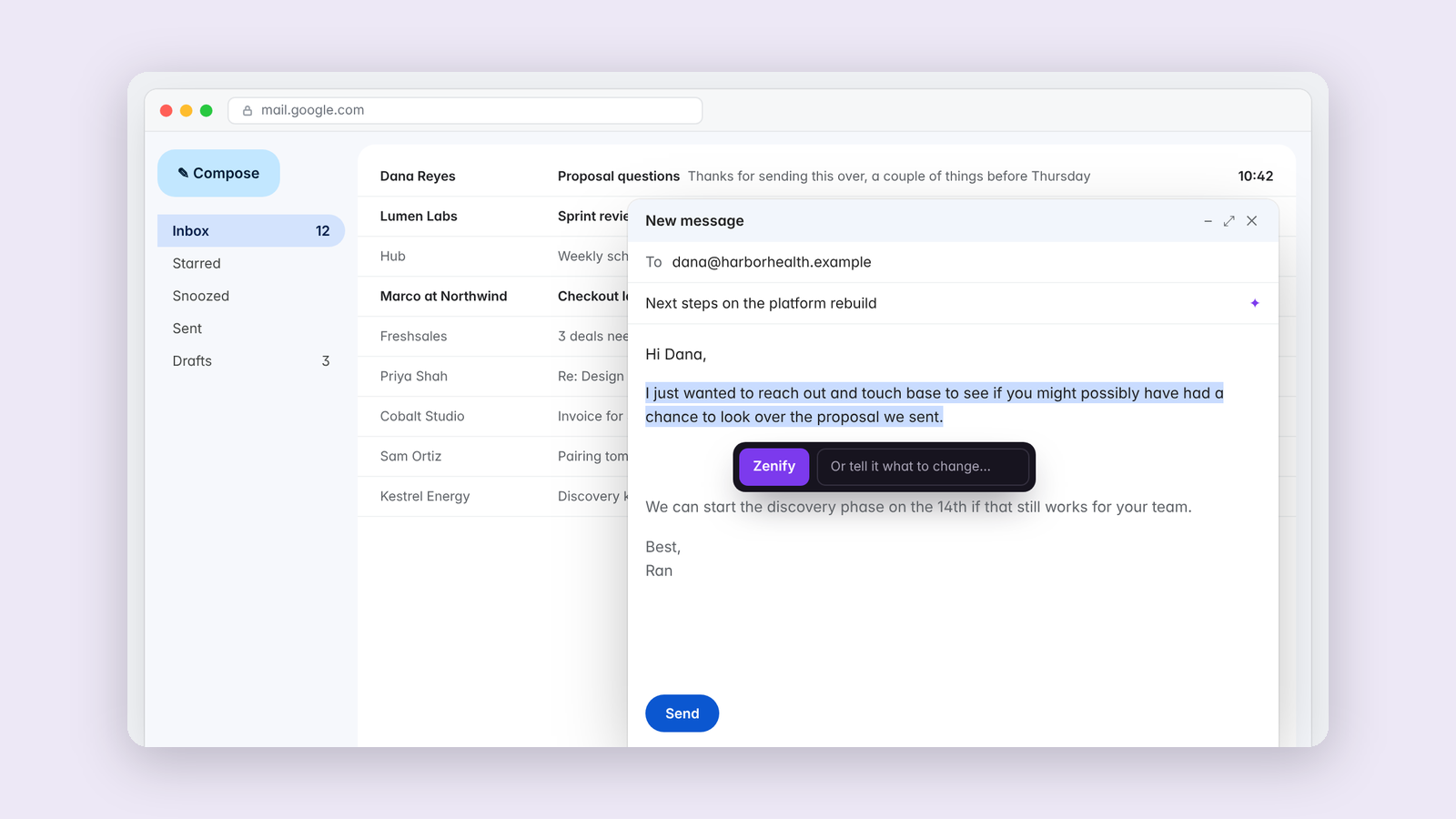
I write a lot of email, and some days I'd like to be more blunt than I should be. Email Zenmaster helps me say the right thing anyway. It lets me write quickly without coming across as terse.
It adds four things to Gmail, and each one only runs when I click it.
- A sparkle beside the subject field suggests subject lines.
- Selecting text brings up Zenify, which rewrites the selection in place with an Undo.
- A right-click review reads the whole thread and flags up to three real issues, starting with anything I'm repeating and any question I haven't answered.
- A right-click draft writes a reply based on the thread above.
Writing like a person
I have opinions about how email should read. Clear, kind, direct, and free of the habits that make writing sound generated. So the interesting part is what it won't do.
Everything it writes is checked against a list of AI tells borrowed from my Is it AI? experiment. Stock openers, "not just X" contrasts, words like delve, and punctuation habits I've banned from my own writing. If the model slips, it gets one corrected pass with the problem named.
It also leaves good writing alone. Early versions rewrote everything they touched. Now, if a passage is already fine, Zenify says there's nothing to change and keeps its hands off. That turned out to matter as much as the rewrites.
Measured by Undo
The number I watch is how often a rewrite gets undone. A tool that changes your words is only useful if the change survives the next ten seconds.
Keep reading
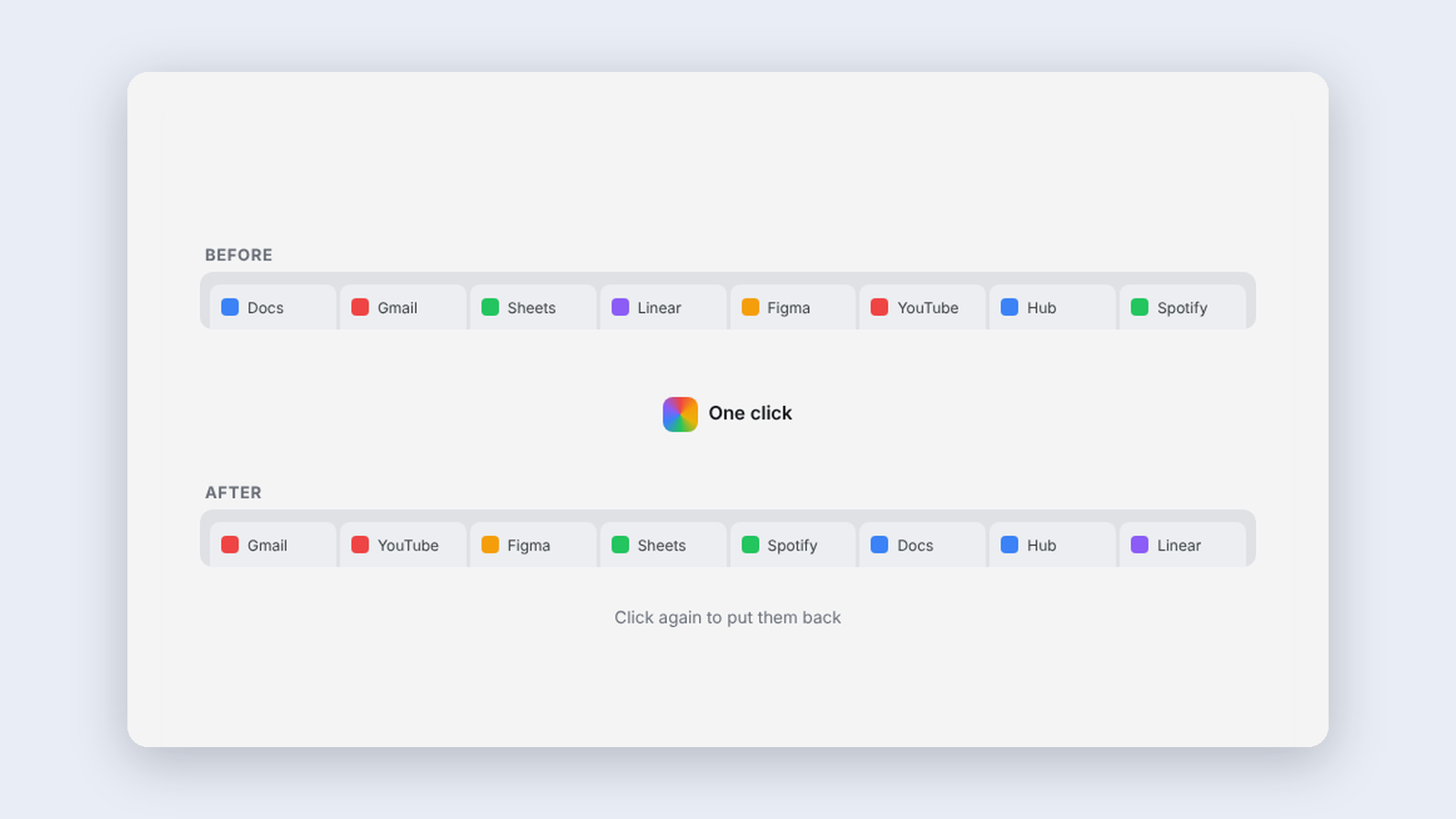
More from Tools for my team
-
 Making·
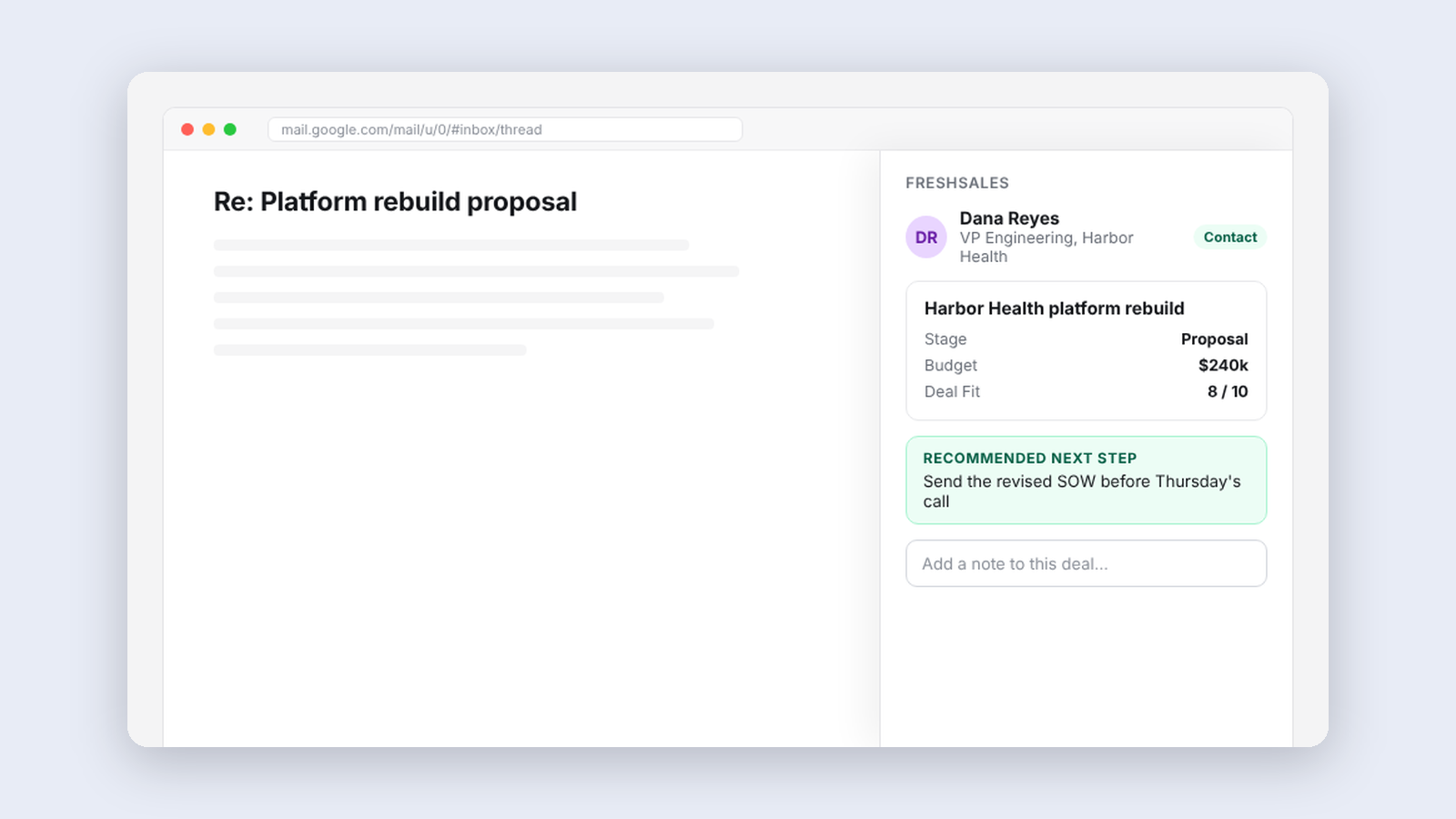
Freshsales for thoughtbot, our CRM inside the inbox
A sidebar in Gmail that shows who someone is in our CRM, the deal tied to a thread, and the people worth reconnecting with this week.
Making·
Freshsales for thoughtbot, our CRM inside the inbox
A sidebar in Gmail that shows who someone is in our CRM, the deal tied to a thread, and the people worth reconnecting with this week.
-
 Making·
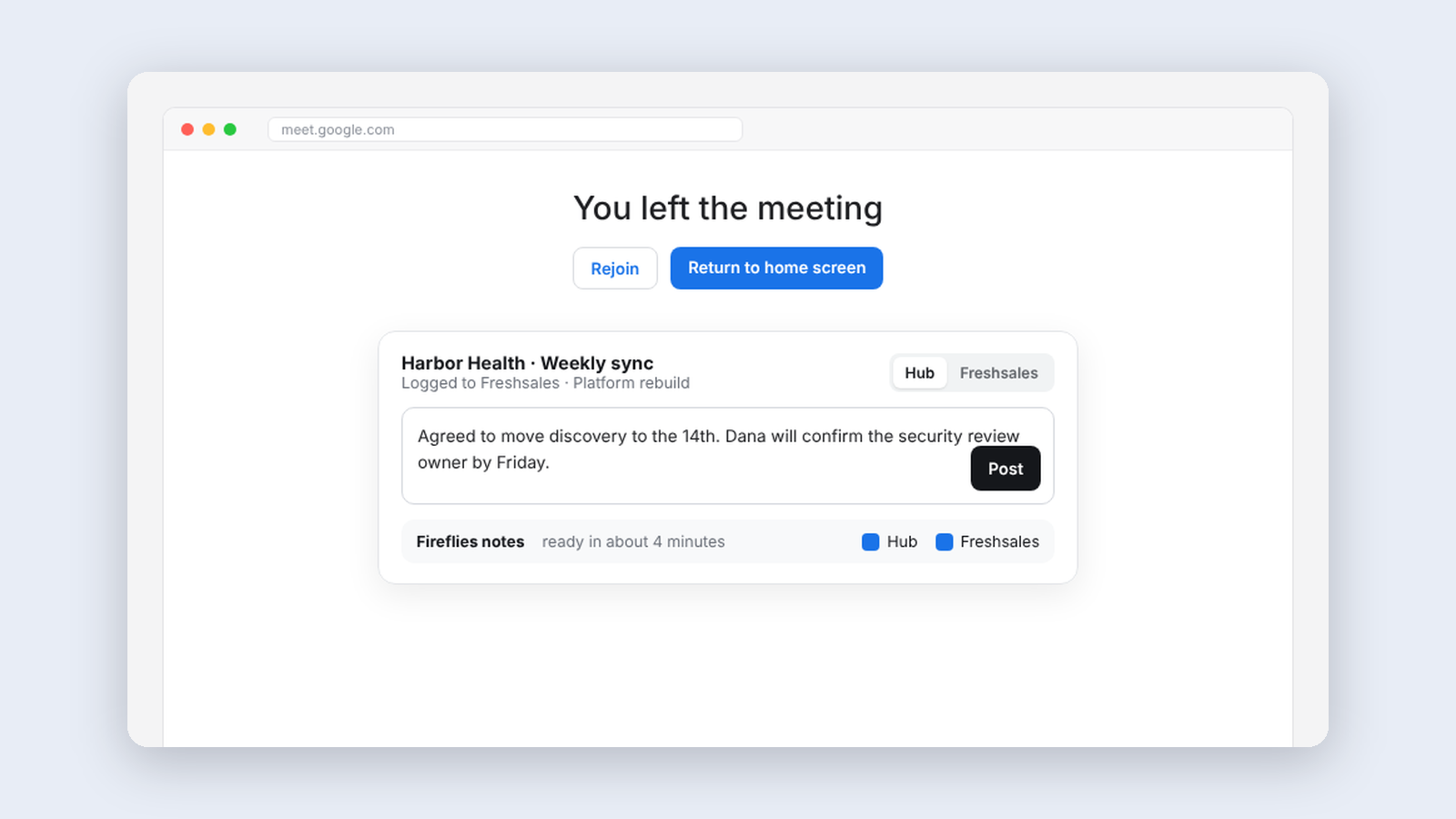
Meeting Helper, logging client meetings without thinking about it
An extension that logs finished meetings to our CRM automatically and handles notes and follow-up right on Google Meet's goodbye screen.
Making·
Meeting Helper, logging client meetings without thinking about it
An extension that logs finished meetings to our CRM automatically and handles notes and follow-up right on Google Meet's goodbye screen.
-
 Making·
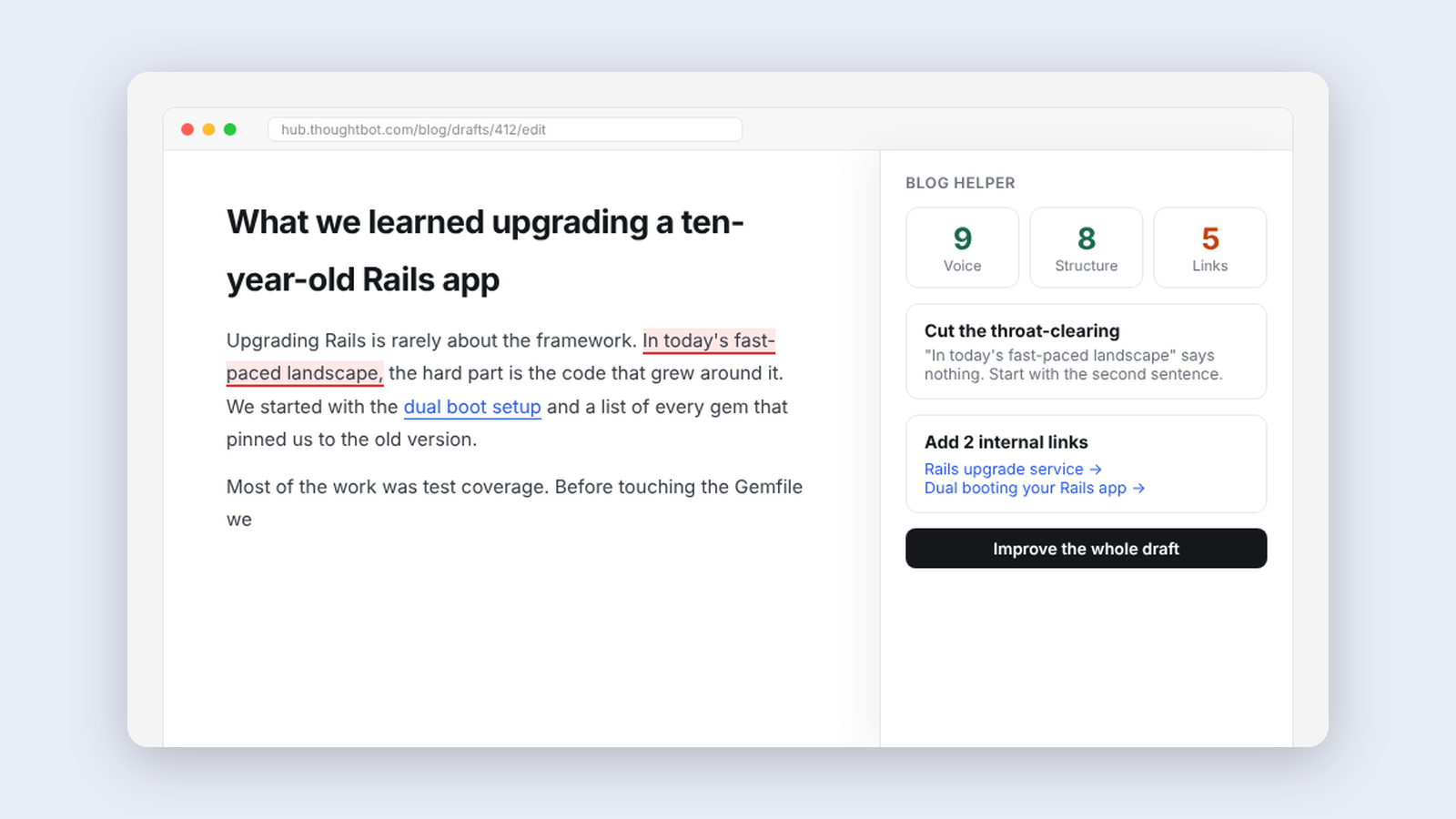
Blog Helper, an editor that knows our style guide
A panel beside our blog editor that reviews drafts against thoughtbot's editorial guidelines, suggests internal links and writes first drafts from notes.
Making·
Blog Helper, an editor that knows our style guide
A panel beside our blog editor that reviews drafts against thoughtbot's editorial guidelines, suggests internal links and writes first drafts from notes.